Programming MEC16xx Embedded Controllers
Introduction
I came across a Dell Latitude 7202 rugged tablet. Although being almost 10 years old it is still a capable machine, especially if you run Linux on it. The problem with mine was a broken embedded controller, a Microchip MEC1641. The chip was already out of production, so the only source was AliExpress. Replacing it was straightforward with some practice and the right soldering equipment.
With a fresh chip installed, I needed to flash the EC firmware onto it.
Secondary Market Chips
The replacement chip I got from AliExpress was likely surplus stock from a production line, meaning it already had firmware on it with boot block protection active. This meant that standard flash erase operations were blocked for the boot region. Any attempt to just write the target firmware would fail because the controller refused to touch the protected area.
Luckily there is an emergency erase, a special JTAG sequence that bypasses all flash protection and wipes the entire chip regardless of what protection bits are set. After that you have a fully blank chip and can program whatever you want onto it. This is a critical feature for anyone sourcing replacement chips from the secondary market, as most of them will likely have some form of protection active.
Getting the Firmware Image
Before doing anything else you need a firmware image to flash. There are a few ways to get one. The cleanest option is reading it off a known working donor board. Of course this would not have worked on my board, since I was not able readout the boot part of the flash due to the protection. Another option for Dell devices specifically is extracting it from a BIOS update package using BIOSUtilities, a Python toolkit that can unpack various vendor firmware formats and extract individual components including the EC firmware. That is exactly what I used. For other vendors a quick search will often turn up community dumps or similar extraction tools.
The Tool
I wrote a small Python utility to handle MEC16xx programming via JTAG and OpenOCD: mec16xx-util. The motivation was simple, dedicated EC programmers are expensive and closed source. Only difference was the open source Glasgow Interface Explorer, which has an applet for MEC16xx but it wasn’t in stock anywhere. Also I already had so many JTAG compatible adapters lying around. The MEC1641 has no public datasheet, but the MEC1632 datasheet is available and the register layout was close enough to work from. I assume this is true for almost all MEC16xx variants, but I have only tested on the MEC1641.
I took the specifications from the MEC1632 datasheet and used the Glasgow Interface Explorer applet for MEC16xx as a reference, then had GitHub Copilot with Claude Opus 4.6 generate the code for the different functions. I verified the output manually and tested it on hardware.
The script supports Flash and EEPROM read, write, erase, and verify, plus the emergency erase command.
Hardware Setup
Any OpenOCD compatible JTAG adapter should work. I used an Adafruit FT232H breakout, which is the practical budget option. You can usually find the JTAG pinout somewhere in the board schematics. In my case I was lucky, the board had a populated 10-pin FPC debug connector, so I used an FPC breakout board to connect to it. Wiring is standard JTAG:
| FT232H Pin | JTAG Signal |
|---|---|
| AD0 | TCK |
| AD1 | TDI |
| AD2 | TDO |
| AD3 | TMS |
| GND | GND |
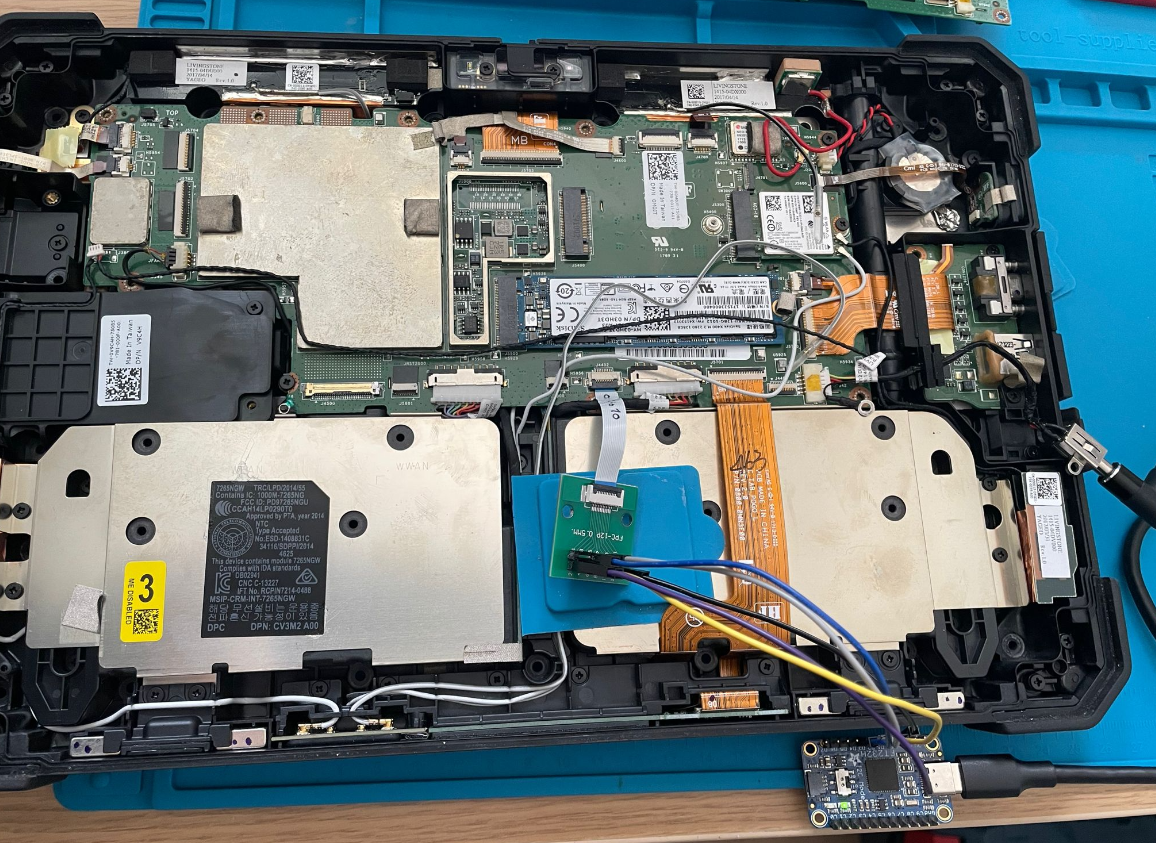
Board with FT232H connected for programming.
Getting Started
Clone the repo and start OpenOCD with the config for your adapter:
openocd -f mec16xx_ft232h.cfg
Verify that you are talking to the chip correctly:
python mec16xx-util.py info
This prints chip and Flash/EEPROM status. If this works you are good to go.
Creating a Backup
Before you do anything else, create a backup of the existing firmware:
python mec16xx-util.py read-flash 0x0000 0x48000 dump.bin --burst
Keep that dump somewhere safe. If anything goes wrong you have something to go back to.
Dealing with Boot Protection
If your replacement chip already has firmware and boot protection active, a normal erase will not touch the protected region. Run the emergency erase first:
python mec16xx-util.py emergency-erase
This wipes Flash and EEPROM completely, bypassing all protection. After it completes, power cycle the board before doing anything else. This step is important, without it the subsequent write will fail.
Programming
With a blank chip and after the power cycle, flash your firmware:
python mec16xx-util.py write-flash 0x00 firmware.bin --verify
The --verify flag does a readback comparison immediately after programming. I would recommend always using it.
After programming you should to a power on reset and test the board.
Conclusion
If you are working with MEC16xx hardware for repair or firmware development without access to a dedicated programmer, this should cover what you need. The emergency erase was the critical feature for my use case and will likely be relevant for anyone else pulling replacement chips from the secondary market.
The full command reference and OpenOCD configs for FT232H and J-Link are in the repo:
github.com/zuernerd/mec16xx-util
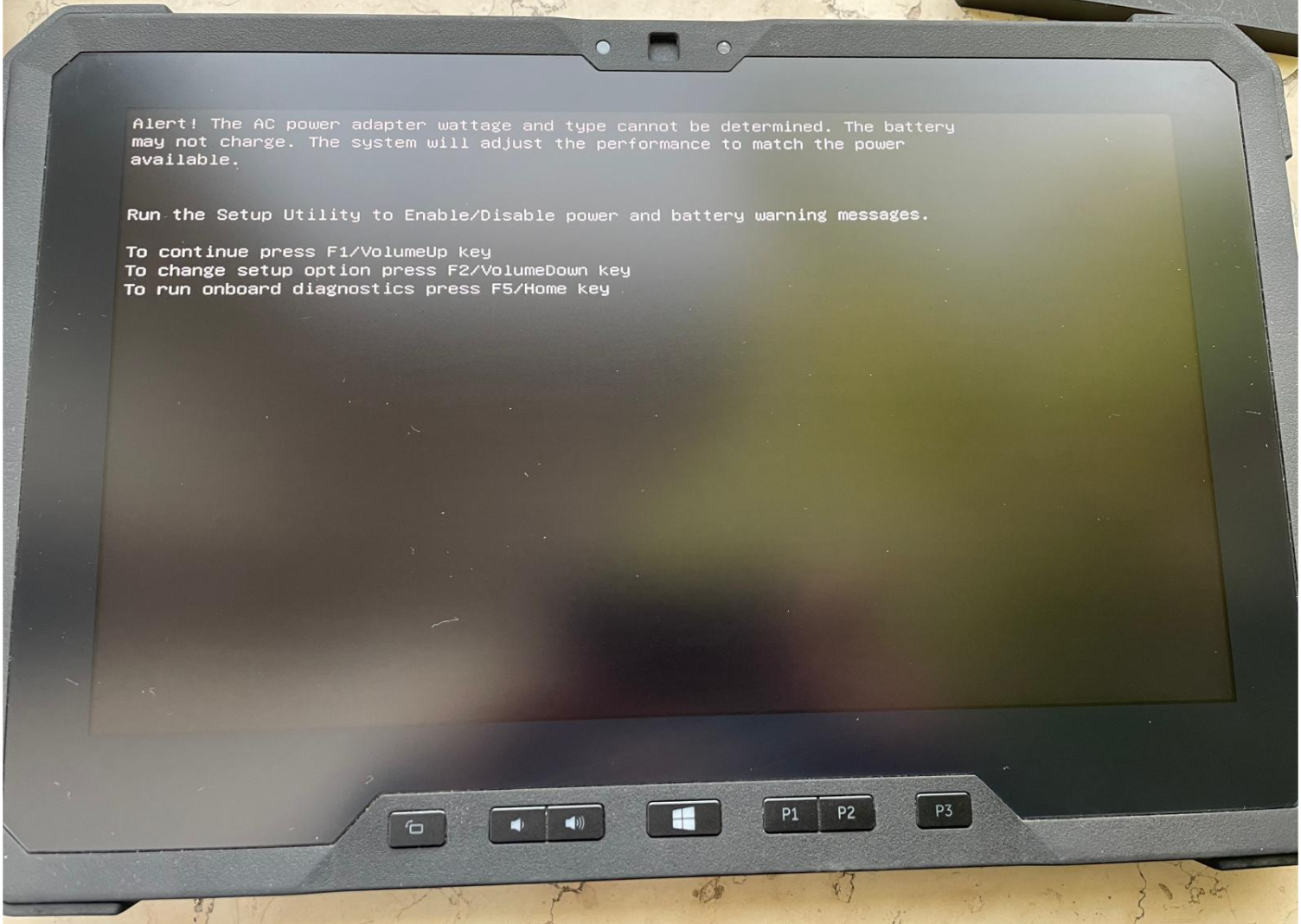
Booting again after the EC repair. The non-genuine AC adapter warning might become a future project topic :)